Noza for customer service
Keep the customers a ticket queue loses.
Free to start · No card needed · Set up in minutes
What’s in it for you
What you get as head of support

- 1
Problems fixed in one conversation
Show the customer the fix on screen while you talk, instead of trading emails and screenshots for days.
- 2
Customers who feel looked after
A person with a name, a voice and, if they like, a face. That’s what people remember when they decide whether to stay.
- 3
A queue your team can see
Customers waiting in the lounge, agents at the desk, an alert when someone walks in. Nobody waits at an empty counter.
- 4
Pay per agent, not per customer
Each agent is a seat, at £5 a month. Customers who walk in are your audience, priced by how many are in at once.
The problem
Tickets and queues feel like nobody’s there
Customers who need a person get a form, a chatbot or a booking link. Video calls help, but every one has to be scheduled, sent and joined, even for a two-minute question.

Nobody to walk up to
There’s no front desk online. Customers wait in a queue with no idea who’s helping them.
Every call is an appointment
Getting someone on video means booking a slot and sending a link.
Problems are hard to describe
Customers type out what they could show you in seconds.
What the research says
- 75%
of consumers prefer talking to a real person, in person or on the phone, for customer support.
Five9 consumer survey, 4,000 US and UK adults, 2024 ↗ - 56%
of consumers are often frustrated by AI customer-service chatbots.
Five9 consumer survey, 4,000 US and UK adults, 2024 ↗ - 1 in 2
customers will switch to a competitor after just one bad experience.
Zendesk customer service statistics ↗
If nothing changes
What a faceless support desk costs you
- Every “can you send a screenshot?” adds another day to the ticket, and another chance they give up.
- Customers who feel like a ticket number switch to the competitor who made them feel like a person.
- Your best agents spend their day writing explanations they could show in thirty seconds.
Noza or a video call?
- Getting help
- Walk up to an agent on duty and ask.
- Book a slot and wait for the link.
- Who’s available
- Agents on duty stand at the desk, where customers can see them.
- Hidden behind a booking page.
- Privacy
- Sit down in an office and it’s just the customer and the agent.
- Private, once the call is set up.
- Showing the fix
- Share your screen onto the room’s screen and talk them through it.
- Screen share, once everyone has joined.
- Busy times
- Customers can see the desk is busy and wait in the lounge.
- A waiting room with no idea how long.
- Your brand
- Your own floor, in your colours, with your logo.
- Their app and their branding.
A help desk people can walk up to
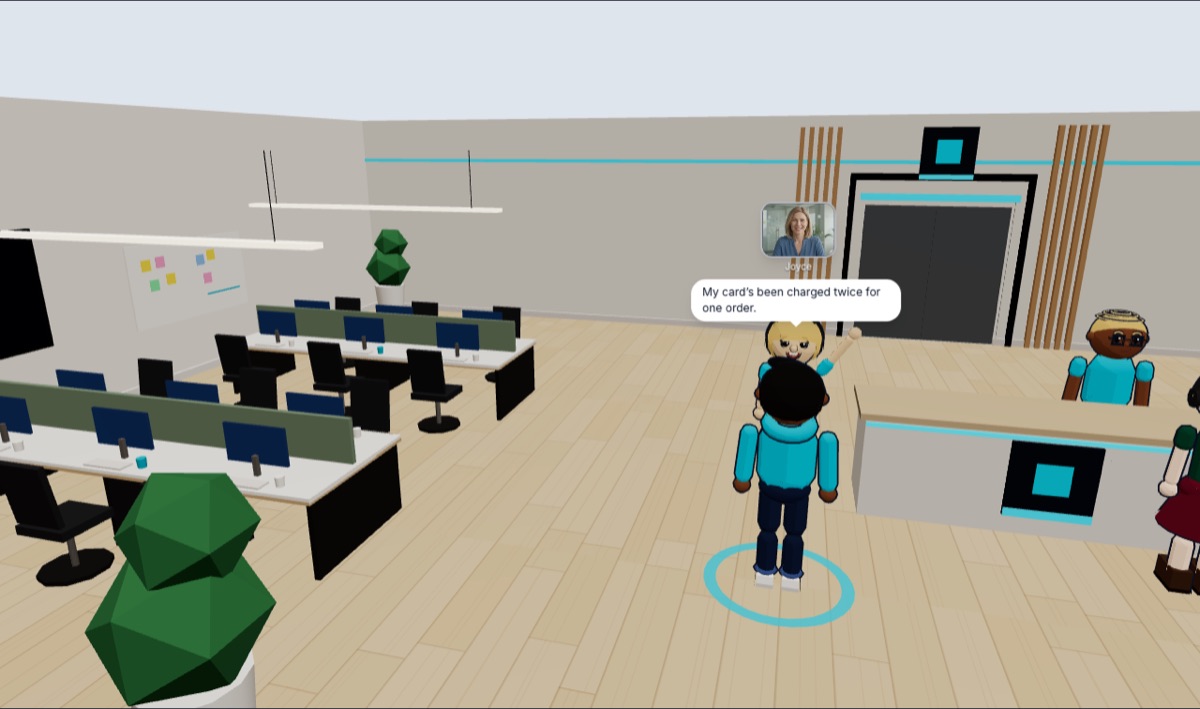
A front desk on the internet
Your support team gets its own floor, with a reception counter in your colours. Agents go on duty and stand at the desk, so customers can see someone’s there.
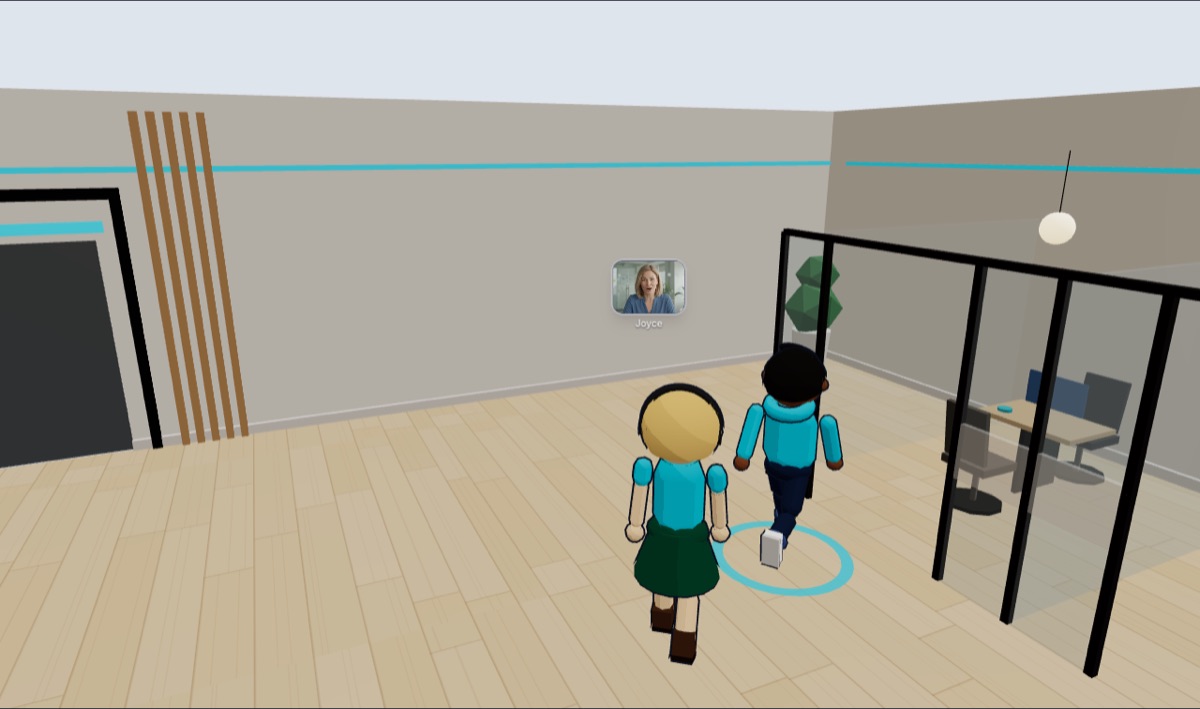
Private when it needs to be
Take a customer into an office and sit down. The conversation is between the two of you, away from everyone else on the floor.
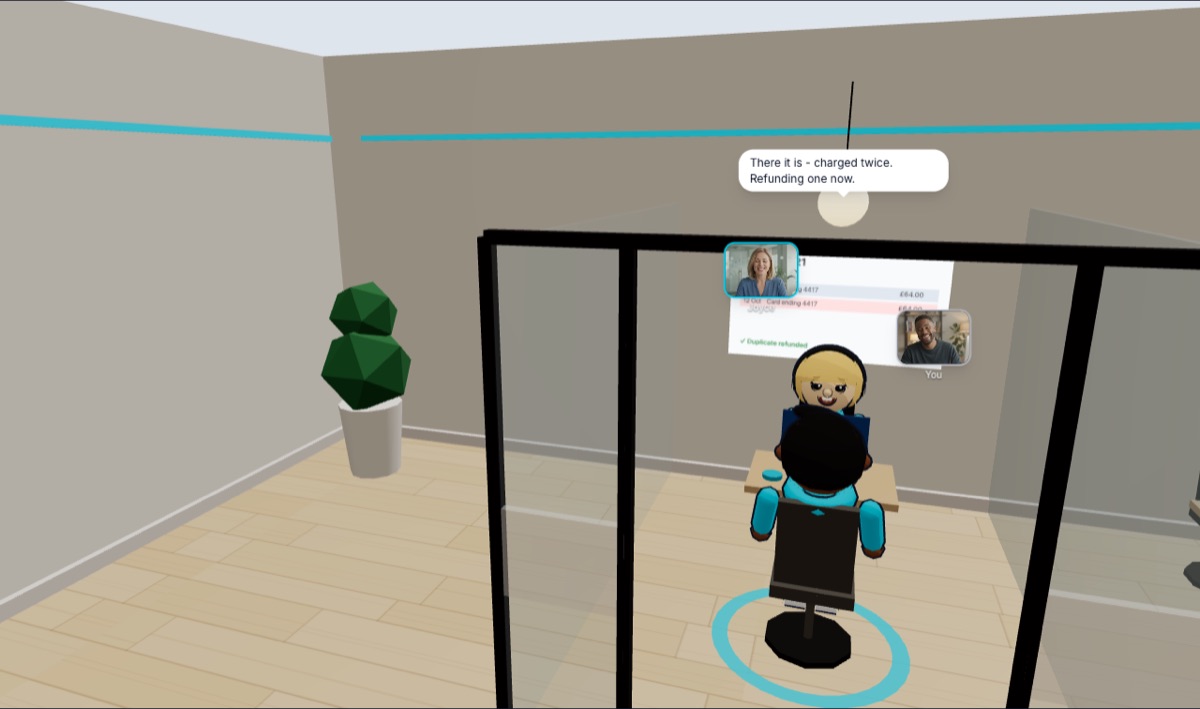
Show, don’t explain
Share your screen onto the room’s screen and walk customers through the fix, instead of sending them a help article.
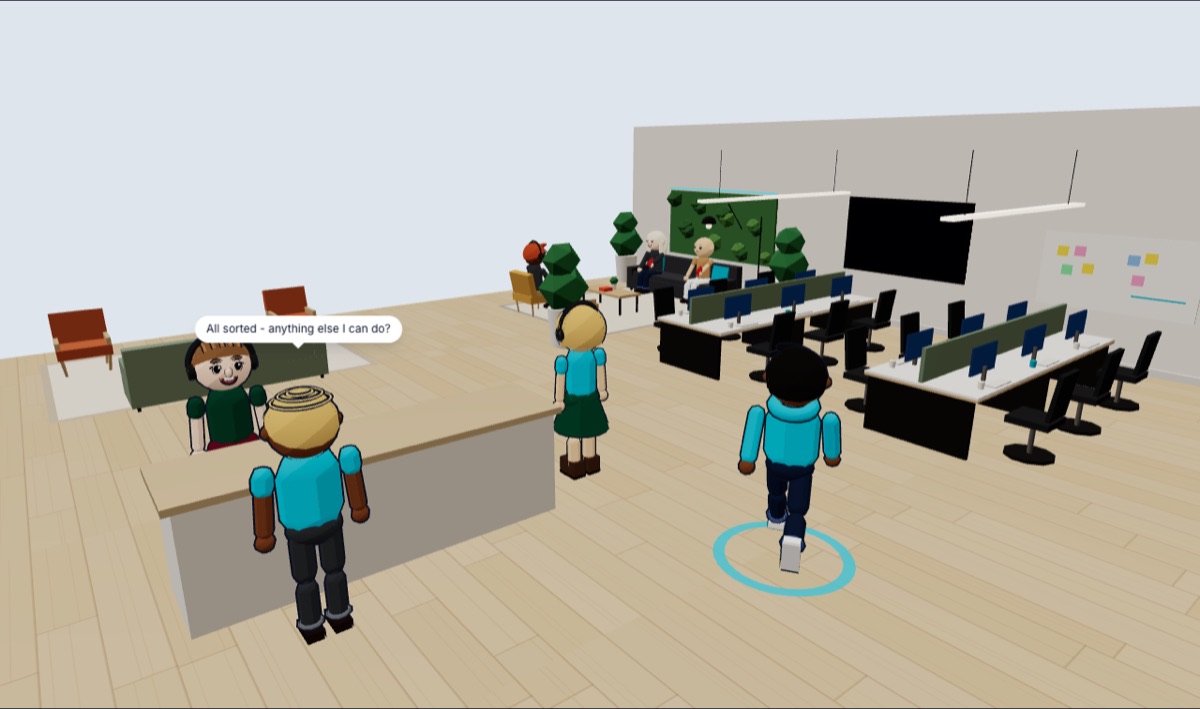
Know when someone walks in
Get an alert when a customer enters your building, so nobody waits at an empty desk.
Getting started
Your help desk, open this week
- Step 1
Set up your company
Free, in a couple of minutes. Look around and try it with your team first.
- Step 2
Start your plan
A seat for each agent and an audience for your busiest hour. Pick a layout with private offices.
- Step 3
Link to it from your help page
Put agents on duty and add “Talk to someone now” next to your contact form.
Free to start · No card needed · Set up in minutes
Pricing
Pay for your team and your audience. That’s it.
Seats are for the people who run things, at £5 a month each. Audience is everyone else, priced by how many are in at once. Venues and your own building come with it.
Seats
£5 each a monthOwners, admins and hosts: whoever presents, sells, teaches or runs the place. Guest speakers don’t need one.
Audience, at once
Members, attendees, students, guestsHow many can be in your building and events at the same time. People who aren’t in don’t count.
Your bill
- 10 seats × £5
- £50
- Audience: 100 at once
- £49
- Total
- £99 a month
That’s a help desk with 10 agents.
Start freeFree up to 10 people at once · No card to start · Cancel any time
What people pay
- One big event? Take a bigger audience just for that month. It goes back on its own.
- Selling tickets or memberships? On a plan, it’s all yours: Noza takes nothing, just card fees. On the free plan, Noza keeps 5%.
- Just you? One seat, £5 a month: an office of your own for calls. Noza Personal
Prices in GBP, excluding VAT. Card fees on ticket and membership payments are Stripe’s, passed on at cost.
You might be wondering
Will customers bother making an account?
It’s free and takes about a minute in the browser, with nothing to install. Offer it next to your contact form for the questions that are easier to show than type.
Does it replace our ticketing system?
No, it sits alongside it. Keep tickets for the simple stuff, and bring customers to the desk when a conversation will fix it faster.
Can we choose who gets in?
Yes. Let anyone in, or only people you approve.
How many people can be there at once?
As many as your audience: 10 free, then 100, 500 or 1,000 at once. Your agents are seats and don’t count.
Isn’t this a bit of a game? Will it look professional?
It looks like a place, not a game: real cities, real buildings, your own space in your colours with your logo. There’s nothing to win and nothing to learn. You walk up to people and talk.
Do people need their cameras on?
No. Everyone is an avatar with a voice, so nobody has to worry about how they look or what’s behind them. Cameras are optional, and when they’re on they show over people’s heads.
Open your help desk
It’s free to set up and there’s no card to enter. Try it with your team, then start a plan when you’re ready for customers.
Start freeFree to start · No card needed · Set up in minutes