One shared world of real cities
Virtual doesn’t have to feel virtual.
Free to start · No card needed · Nothing to install
The difference you feel in the first minute
Walk up to anyone
No links, no invites. See someone, go over, say hello.
Lots of conversations at once
Every table and corner has its own. Nobody waits their turn.
Sit down for a private word
Pull up a chair and it’s just the people at your table.
Take the stage
One voice for the whole room, and your screen on the big screen.
Cameras optional
Your avatar is enough. Faces show up when people want them to.
The problem
We put everything through the same grid of faces
Since 2020, conferences, communities, help desks, classrooms and whole companies have all run on video calls. They were built for meetings. Everything else lost what made it work: the hallway, the table, the desk you can walk up to, the quick word after.

- 252%
more weekly meeting time for the average Teams user since February 2020.
Microsoft Work Trend Index, 2022 ↗ - 66%
of people say virtual coffee chats feel more like a chore than getting together in person.
Microsoft Work Trend Index, 2022 ↗ - 51%
of online event attendees weren’t interested in networking, against 23% in person.
Bizzabo Virtual Attendee Experience Report, via Smart Meetings ↗ - 75%
of consumers would rather talk to a real person for customer support.
Five9 consumer survey, 4,000 US and UK adults, 2024 ↗
How it works
It works like a real place, because it is one
No meeting to join and no grid to stare at. Where you stand decides who you hear, like it does everywhere else.
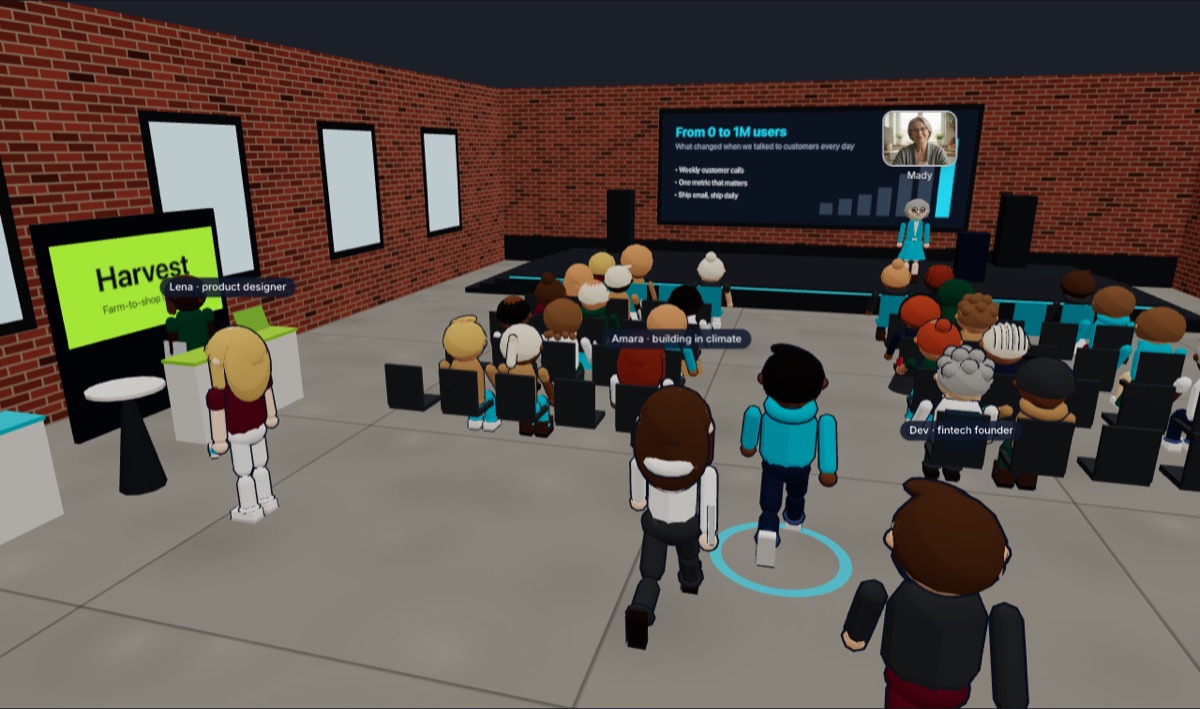
A real place to meet
Edinburgh, Glasgow, Manchester, London, New York and San Francisco. Walk the streets, sit in the cafés, and go to events in the venues.
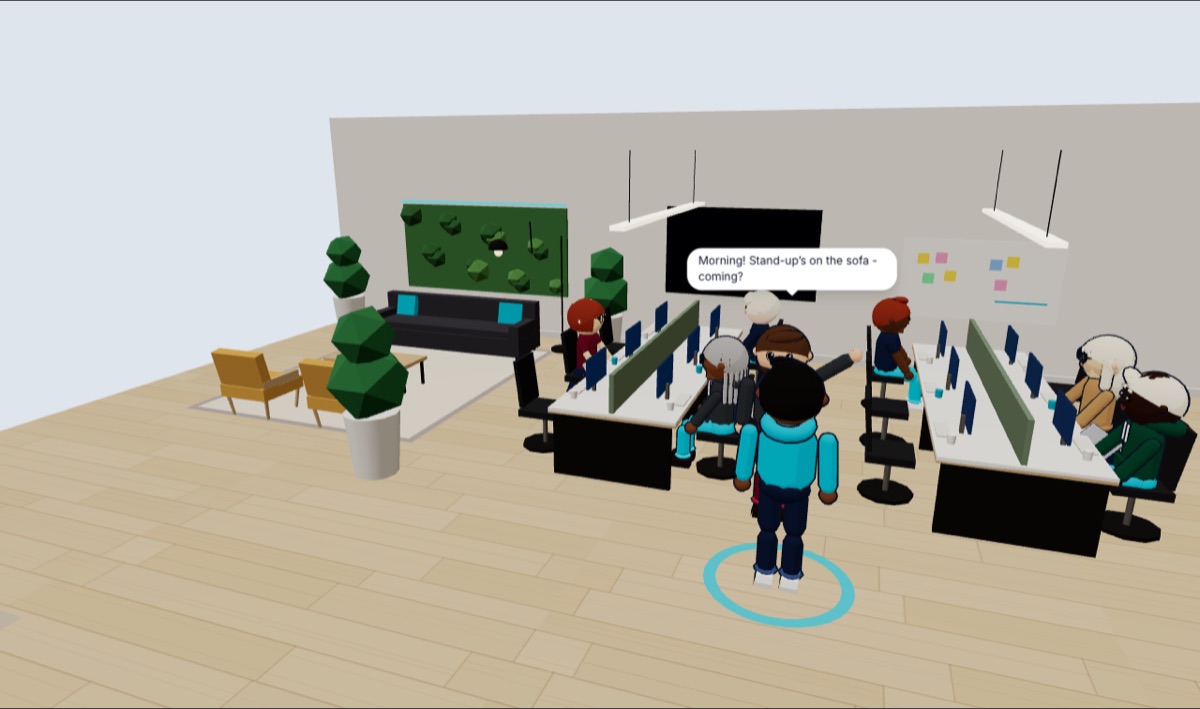
You hear who’s near you
Stand next to someone and you can talk. Walk away and their voice fades, like a real room.
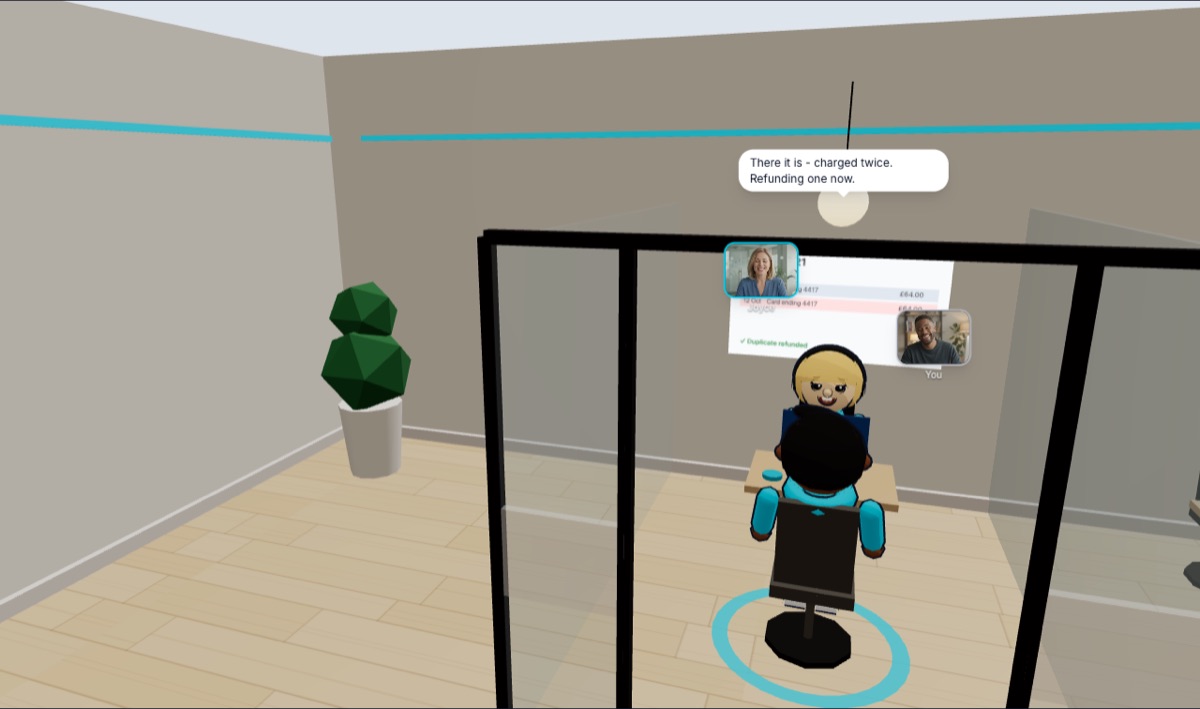
Sit down, and it’s private
Take a seat at a table or in an office, and you only hear the people sitting with you.
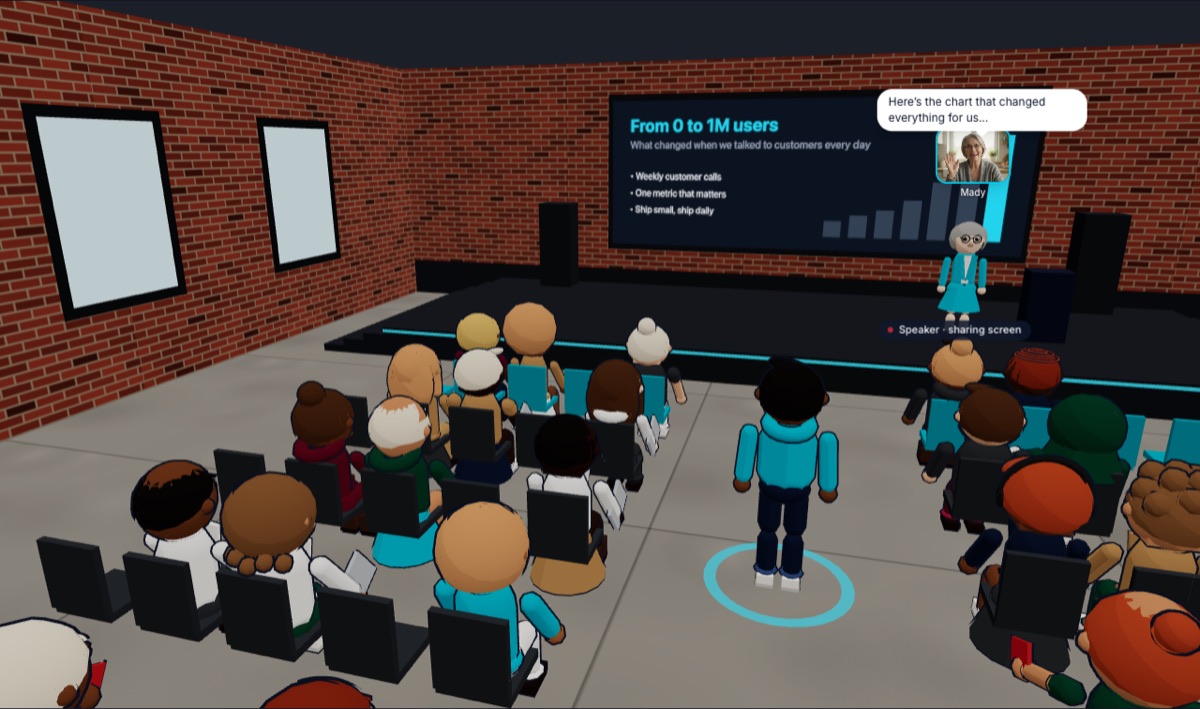
One voice for the room
Hold the room mic and everyone hears you. Share your screen and it’s up on the wall.
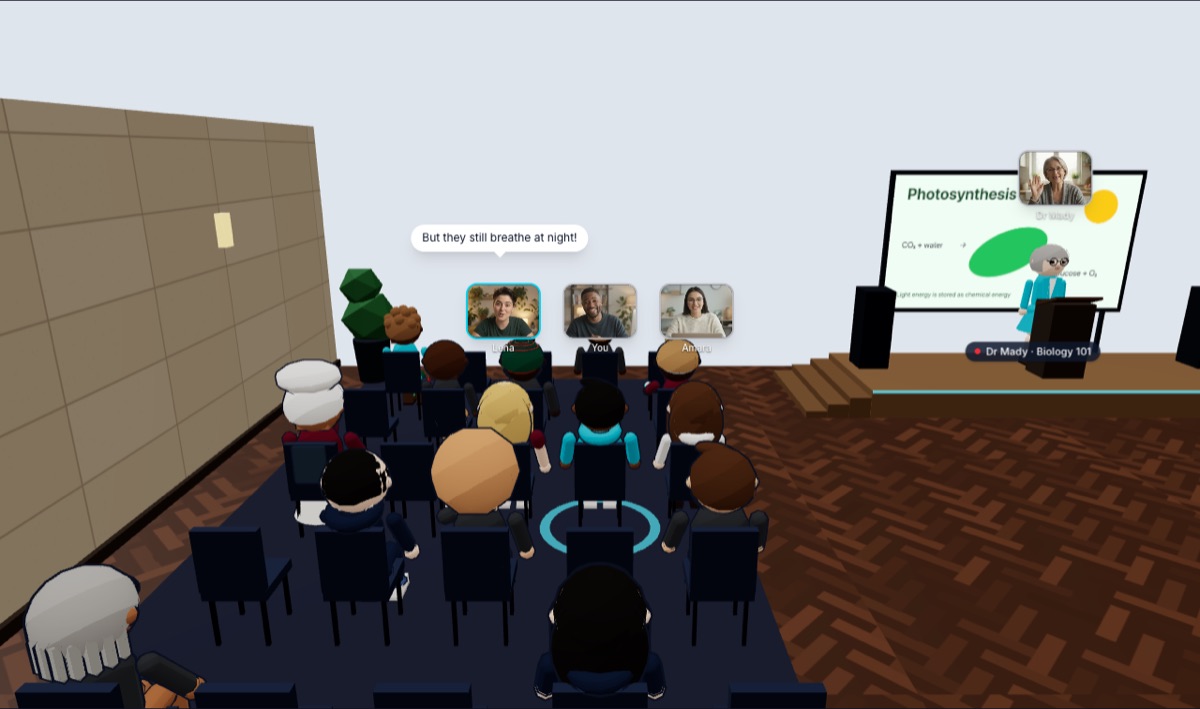
Faces when you want them
Turn your camera on and it shows over your head, so people see you without staring at a grid.
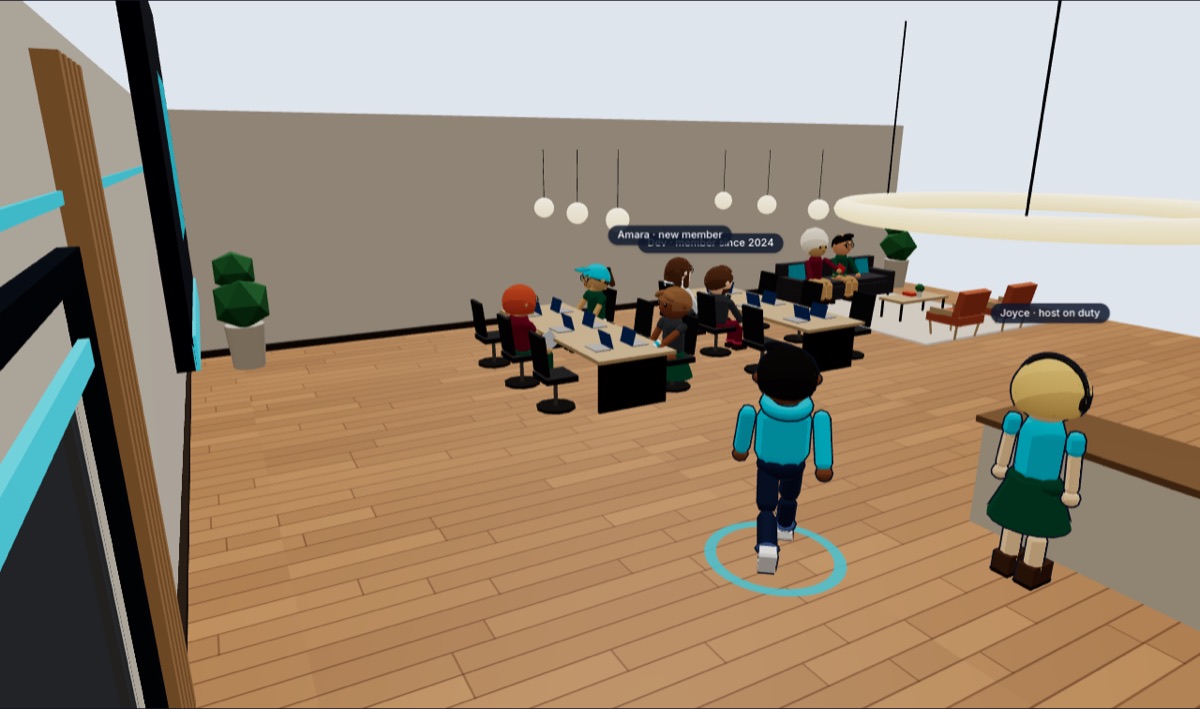
Somewhere to come back to
Your organisation gets its own building, open all the time, in your colours with your logo.
What it’s for
One world. Every way you meet.
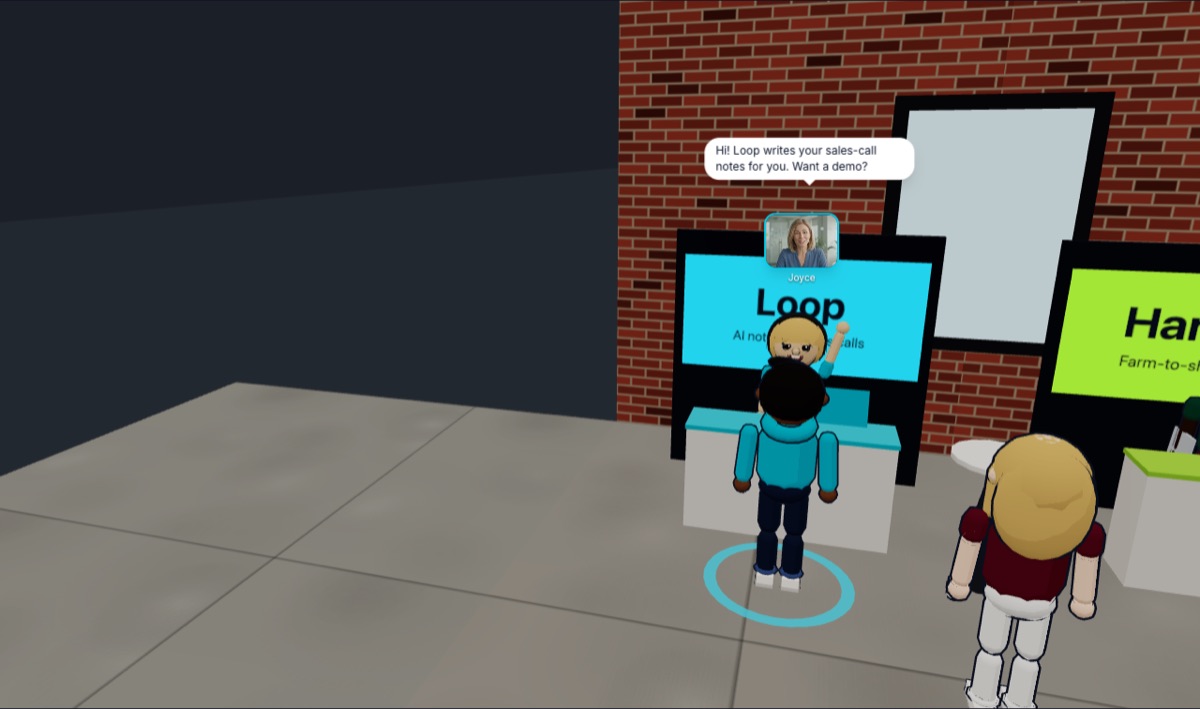 Noza for webinars
For webinars
You paid for the audience. Now talk to them.
Most webinars end with “thanks for joining” and a hundred interested people closing a tab. On Noza the room stays open: attendees walk up to your team, ask what they wouldn’t ask in front of everyone, and leave having spoken to someone.
- Sales conversations the same day. Your reps stand at tables after the talk. Prospects who are interested walk over, and the conversation starts while they still care, not after three follow-up emails.
- The questions people won’t ask in public. Pricing, “does it work for us?”, a competitor they’re using. People ask those one-to-one, not in a Q&A in front of 250 strangers.
- You can see who’s interested. The people who stay behind and walk up to your team are telling you something a registration form never will.
40%of people who register for a webinar actually attend live. You’re already paying to fill seats that stay empty. Source ↗
See Noza for webinarsNoza for eventsFor events
Your online event shouldn’t end when the presentation does.
You spent time and money bringing people together. On Noza they stay, meet each other, walk up to your speakers and sponsors, and leave with the reason they’ll buy next year’s ticket.
- Tickets worth paying for. People pay for who they’ll meet. When attendees actually network, your ticket is worth more than a recording they could watch later.
- Sponsors who renew. Exhibitors stand at a stand and talk to the people who walk up. That’s leads they can count, and a reason to sponsor again.
- Attendees who come back. Someone who met a useful person at your event comes to the next one, and brings a colleague.
51%of online attendees weren’t interested in networking, against 23% of people at in-person events. Source ↗
See Noza for events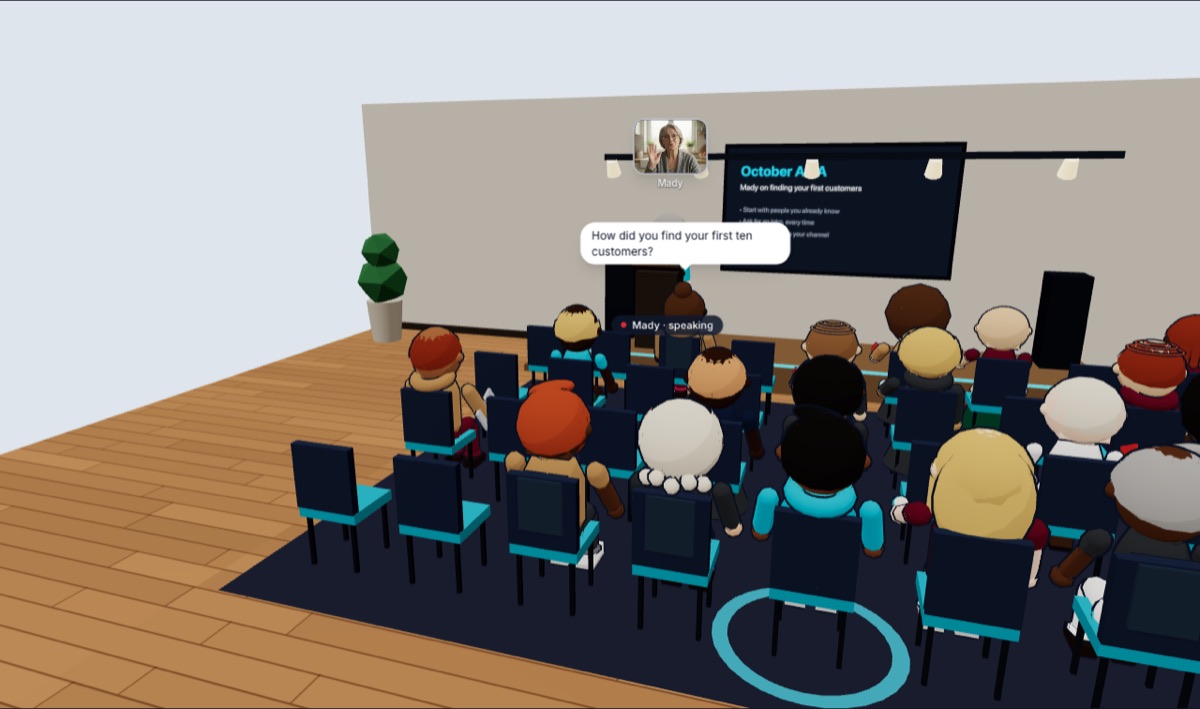 Noza for communities
For communities
A community members keep coming back to.
Give your members a home in a shared virtual city: somewhere to drop in between events, a host to welcome newcomers, and paid membership built in.
- Members who turn up between events. Your space is open all the time, so the community doesn’t go quiet the moment the monthly call ends.
- Newcomers who stick. Someone on reception says hello and introduces them. A new member who makes a friend in week one has a reason to come back.
- Less on your plate. Members take turns on reception duty and host their own sessions. You stop being the only one keeping the lights on.
41%of community professionals say keeping members engaged is a top frustration, the most common answer. Source ↗
See Noza for communitiesNoza for customer serviceFor customer service
Keep the customers a ticket queue loses.
Give customers a help desk they can walk up to. Agents on duty greet them, take them somewhere private and share their screen to fix it in one conversation.
- Problems fixed in one conversation. Show the customer the fix on screen while you talk, instead of trading emails and screenshots for days.
- Customers who feel looked after. A person with a name, a voice and, if they like, a face. That’s what people remember when they decide whether to stay.
- A queue your team can see. Customers waiting in the lounge, agents at the desk, an alert when someone walks in. Nobody waits at an empty counter.
75%of consumers prefer talking to a real person, in person or on the phone, for customer support. Source ↗
See Noza for customer serviceNoza for schoolsFor schools
Online classes students show up and speak up in.
Teach in a real classroom in a shared virtual city. Students sit with their friends, ask questions without the camera anxiety, and work in groups without breakout rooms.
- A class that’s actually there. Students are in their seats in front of you, not black squares. You can see who came and where they’re sitting.
- Students who talk. An avatar takes away the “how do I look?” worry that keeps cameras off and mouths shut.
- Group work in seconds. Each side of the room is its own conversation already. No breakout rooms to build, no students lost in the shuffle.
41%of students who kept their cameras off in online classes said it was because of how they looked. Source ↗
See Noza for schools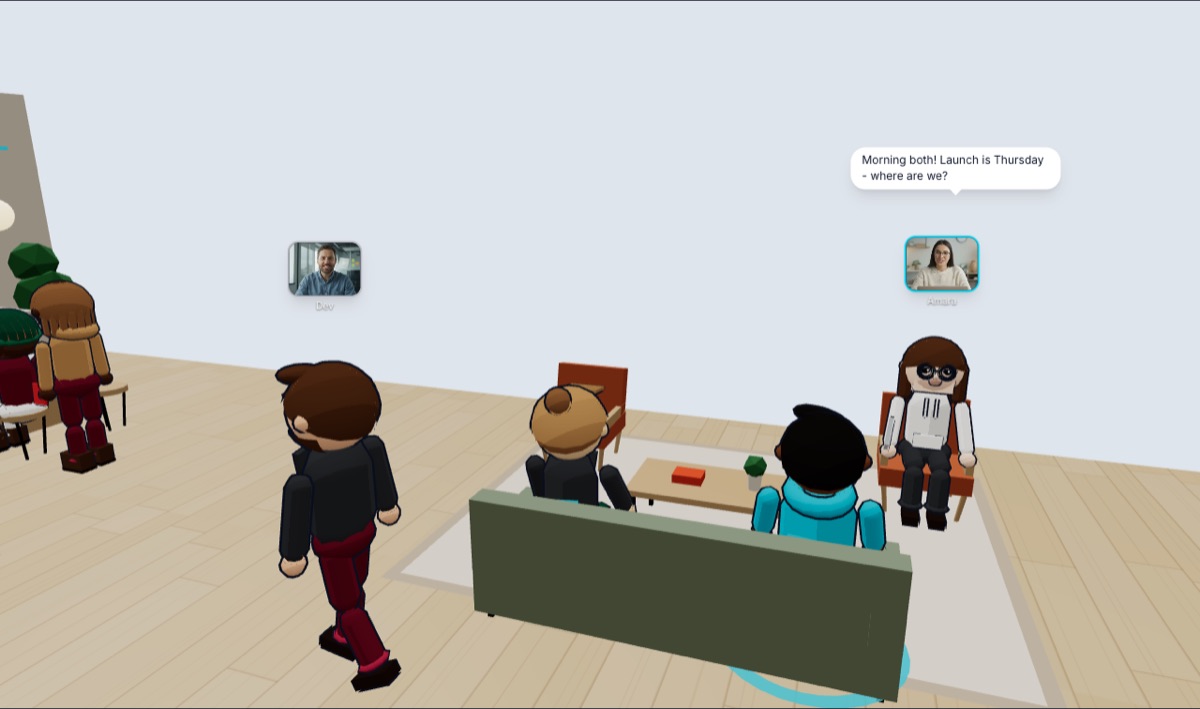 Noza for offices
For offices
Your remote team, talking again.
Fewer meetings, quicker answers, and new starters who settle in. An office floor where you can see who’s in, catch people at their desk and shut the door for a one-to-one.
- Fewer meetings. Quick questions get answered at the desk in two minutes, not booked into a thirty-minute call next Tuesday.
- New starters who settle in. They sit with the team, overhear how things work and can just ask. That’s how people learn a job.
- Teams that talk to other teams. Bump into people in the kitchen or the lift, the conversations remote work quietly stopped.
252%more weekly meeting time for the average Teams user since February 2020. Source ↗
See Noza for officesNoza or another video call?
- Where you meet
- A real place: a city, a venue, your own building.
- A link.
- Conversations
- Lots at once, depending on where you stand or sit.
- One at a time.
- Catching someone
- Walk over and say hello.
- Message, schedule, send a link.
- Between meetings
- The place is still there. People drop in.
- Nothing until the next call.
- Cameras
- Optional. Your avatar is enough.
- Expected, so people switch them off.
- Pricing
- £5 a seat for whoever runs it, plus an audience size. Your building comes with it.
- Per user, every month, plus extras for webinars.
Coming up
Pricing
Pay for your team and your audience. That’s it.
Seats are for the people who run things, at £5 a month each. Audience is everyone else, priced by how many are in at once. Venues and your own building come with it.
Seats
£5 each a monthOwners, admins and hosts: whoever presents, sells, teaches or runs the place. Guest speakers don’t need one.
Audience, at once
Members, attendees, students, guestsHow many can be in your building and events at the same time. People who aren’t in don’t count.
Your bill
- 2 seats × £5
- £10
- Audience: 100 at once
- £49
- Total
- £59 a month
That’s an organisation with two people running it and up to 100 in at once.
Join Noza freeFree up to 10 people at once · No card to start · Cancel any time
What people pay
- One big event? Take a bigger audience just for that month. It goes back on its own.
- Selling tickets or memberships? On a plan, it’s all yours: Noza takes nothing, just card fees. On the free plan, Noza keeps 5%.
- Just you? One seat, £5 a month: an office of your own for calls. Noza Personal
Prices in GBP, excluding VAT. Card fees on ticket and membership payments are Stripe’s, passed on at cost.
You might be wondering
What is Noza, exactly?
One shared virtual world built from real cities. You have an avatar and a voice, and you meet people by walking up to them: in the street, at a café, at an event, or in an organisation’s own building.
Is it a game?
No. There’s nothing to win and nothing to learn. It’s a place: you walk in, find people and talk. Organisations use it for events, communities, support, classes and offices.
Do I need to install anything?
No. Noza runs in the browser on a laptop or a phone. Make a free account and an avatar and you’re in, usually within a minute.
Do I need my camera on?
No. Your avatar and your voice are enough. If you turn your camera on, it shows over your head.
What does it cost?
Joining is free, and so is setting up an organisation for up to 10 people at once. After that you pay £5 a month for each seat (the people who run things) and for an audience: 100 at once is £49 a month, 500 is £149, 1,000 is £299. On a plan, Noza takes nothing from tickets and memberships you sell (5% on the free plan).
Can my organisation be private?
Yes. A private organisation has its own building, and you decide who gets in.
Stop meeting in a grid.
Come and see what virtual feels like when it doesn’t feel virtual. It takes a minute, and it’s free.
Free to start · No card needed · Nothing to install